
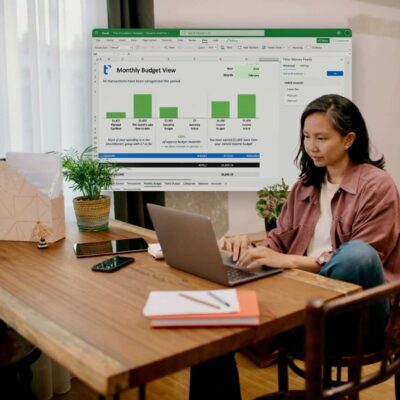
Most budgeting tools want you to change how you work. New apps, new dashboards, new learning curves. Tiller takes the opposite approach—it plugs into the spreadsheets you already know and turns them into powerful, automated money trackers. No gimmicks, no clunky interfaces, just the flexibility of Google Sheets or Excel with the power of real-time financial data. If your money is scattered across accounts, Tiller quietly brings it all under one roof—yours.
Quick Glance: Why Tiller Works for Real People
- Automates your favourite spreadsheets with daily bank data updates
- Fully customisable—you design your budget, not the software
- Keeps you in control with data stored in your own sheets
- Works with Google Sheets and Excel so there’s no new system to learn
- Supports multiple accounts from banks, credit cards, and more
Explore Tiller’s features here
Automation Without Losing Flexibility
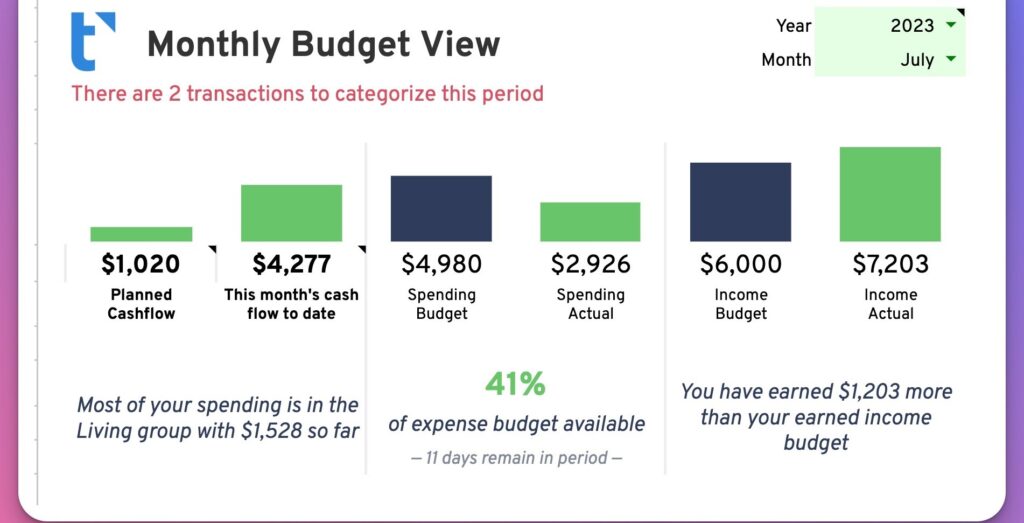
The magic of Tiller is simple: it connects securely to your bank accounts and streams transactions straight into your spreadsheet every day. No manual copy-paste, no CSV imports. You get the data you need without sacrificing your preferred layout, categories, or formulas.
This means you can keep your colour-coding, your expense tags, your pivot tables—whatever works for you—while eliminating the chore of updating it all manually.
A Tool That Works How You Think

Tiller doesn’t tell you how to budget. It hands you the data and lets you decide what to do with it. Want a zero-based budget? Fine. Prefer a simple income vs. expenses tracker? Also fine. You can use one of Tiller’s pre-built templates or start with a blank sheet and build your own system from scratch.
This flexibility makes Tiller appealing to people who have tried all-in-one finance apps but found them too rigid or too opinionated.
All Your Accounts in One Place
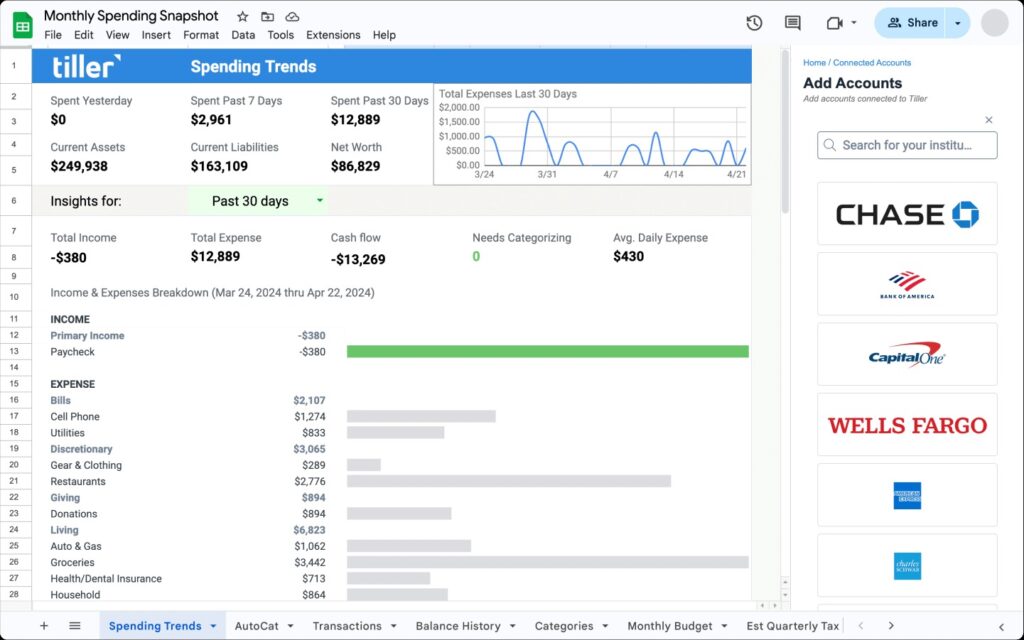
Link multiple accounts—current, savings, credit cards, even loans—and see them update in a single view. Tiller supports hundreds of financial institutions, so you’re not stuck switching between banking apps to get a full picture.
This is especially useful if you manage joint finances, track business expenses alongside personal spending, or handle multiple income streams.
Why Tiller Feels Different From Finance Apps
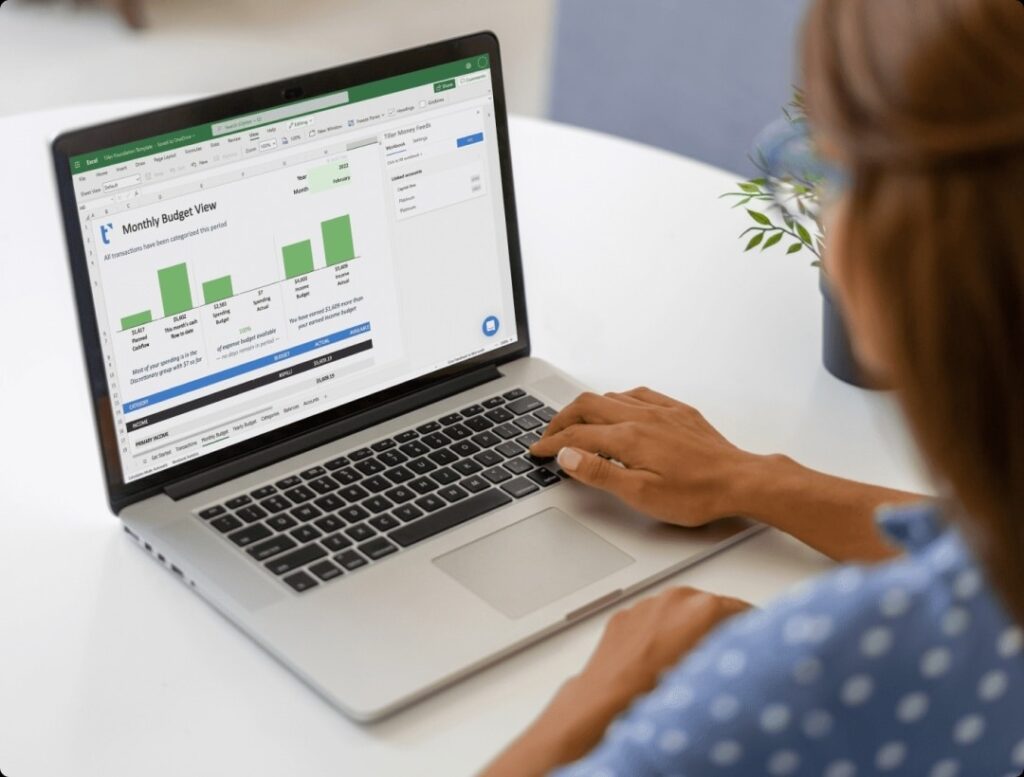
Most budgeting software stores your financial data on their platform. With Tiller, your data lives in your spreadsheet—under your control. This makes it feel less like handing over your financial life to a black box and more like adding a turbocharger to your existing process.
And because you can tweak every formula and category, you’re not waiting on a developer to add a feature—you can make it happen yourself.
The Tiller Template Library
Tiller offers a range of free templates to get you started. These include monthly budget trackers, net worth dashboards, debt payoff planners, and expense reports. You can mix and match features or adapt them to your needs.
The templates are especially helpful for people who don’t want to design a spreadsheet from scratch but still want the option to modify it over time.
The Security Question
Tiller uses bank-grade encryption and secure data connections through trusted financial data providers. Two-factor authentication is supported where available. While no digital tool is risk-free, Tiller’s approach of keeping your actual financial records in your spreadsheet—not on a separate app—adds an extra layer of comfort for many users.
The Tiller Ethos
Tiller’s philosophy is clear: they don’t believe in locking your data inside their system or forcing you into their vision of how budgeting should work. They provide the automation and connection, and you decide the rest. This makes Tiller just as appealing to spreadsheet novices as it is to Excel power users.
It’s a brand built on the belief that financial tools should work for the user, not the other way around.
For People Who Want Control and Clarity
Tiller isn’t a flashy budgeting app—and that’s exactly why it works. It blends into your workflow, keeps your financial information in your hands, and quietly handles the data entry you never want to do again.
If you’ve been juggling multiple accounts, trying to keep spreadsheets updated, or feeling boxed in by other finance tools, Tiller is worth a serious look. It’s automation without compromise, and it makes managing your money feel less like a chore and more like a habit you can stick with.
FAQs
Do I need to be a spreadsheet expert to use Tiller?
Not at all. You can use Tiller’s ready-made templates or start with a simple budget and build over time.
Which spreadsheets work with Tiller?
Google Sheets and Microsoft Excel are both supported.
Can I share my Tiller sheet with someone else?
Yes, you can share it like any other spreadsheet—perfect for partners or accountants.
Does Tiller store my financial data?
No. Your transactions are imported into your own spreadsheet, which you control.
Is Tiller suitable for business tracking?
Yes. Many freelancers and small business owners use it to track income, expenses, and cash flow alongside personal finances.